Sieora · Video Management Platform

Video Management Software — One Dashboard for Every Camera Brand You Own

Sieora's video management software brings every camera, every brand and every site into a single dashboard — Hikvision, CP Plus, Dahua, Axis or any ONVIF device, with no rip-and-replace. It's a full video management system for viewing, recording, retention and retrieval, with AI analytics built into the platform rather than bolted on. Deploy it on your own servers or in the cloud, keep your existing NVRs, and run it across India and worldwide — perpetual licence on-premise, subscription in the cloud.
Hikvision, CP Plus, Dahua, Axis AI built in, not bolted on On-premise & DPDP-ready
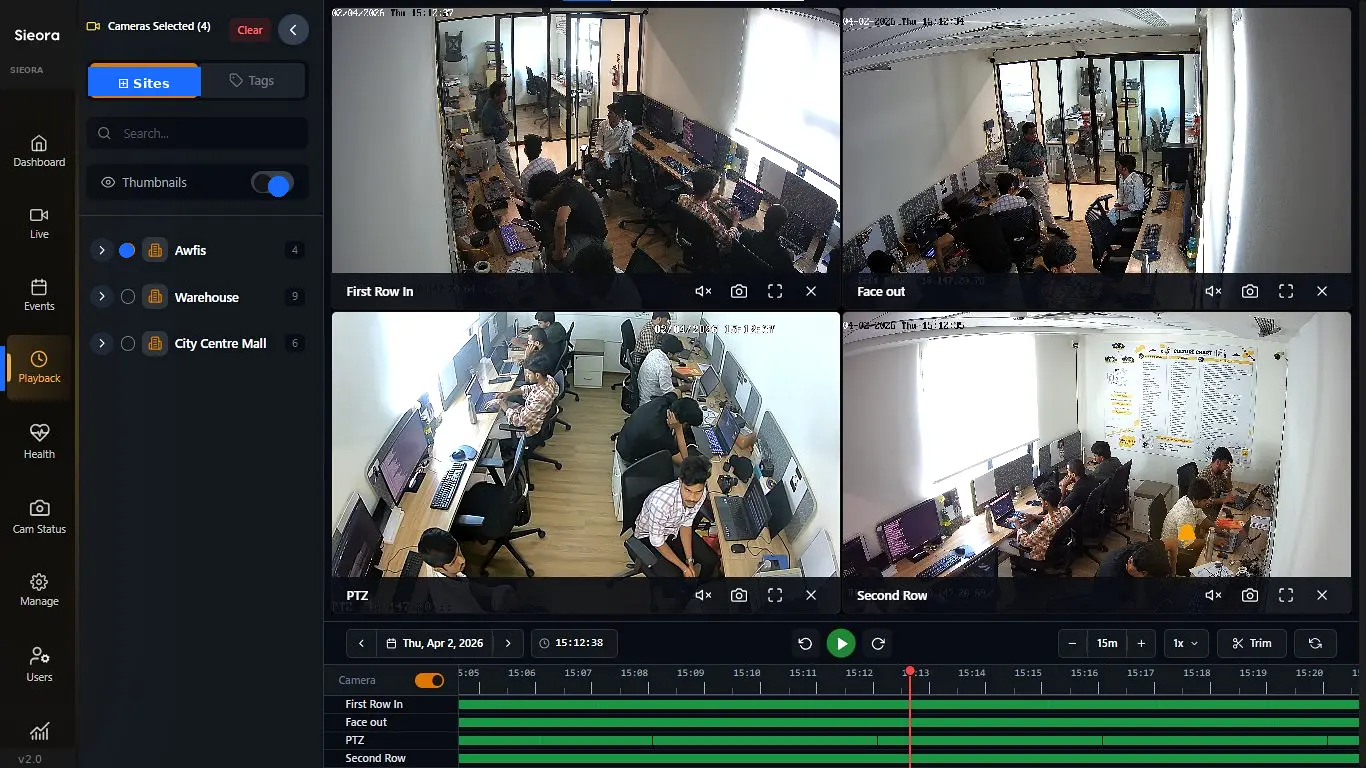
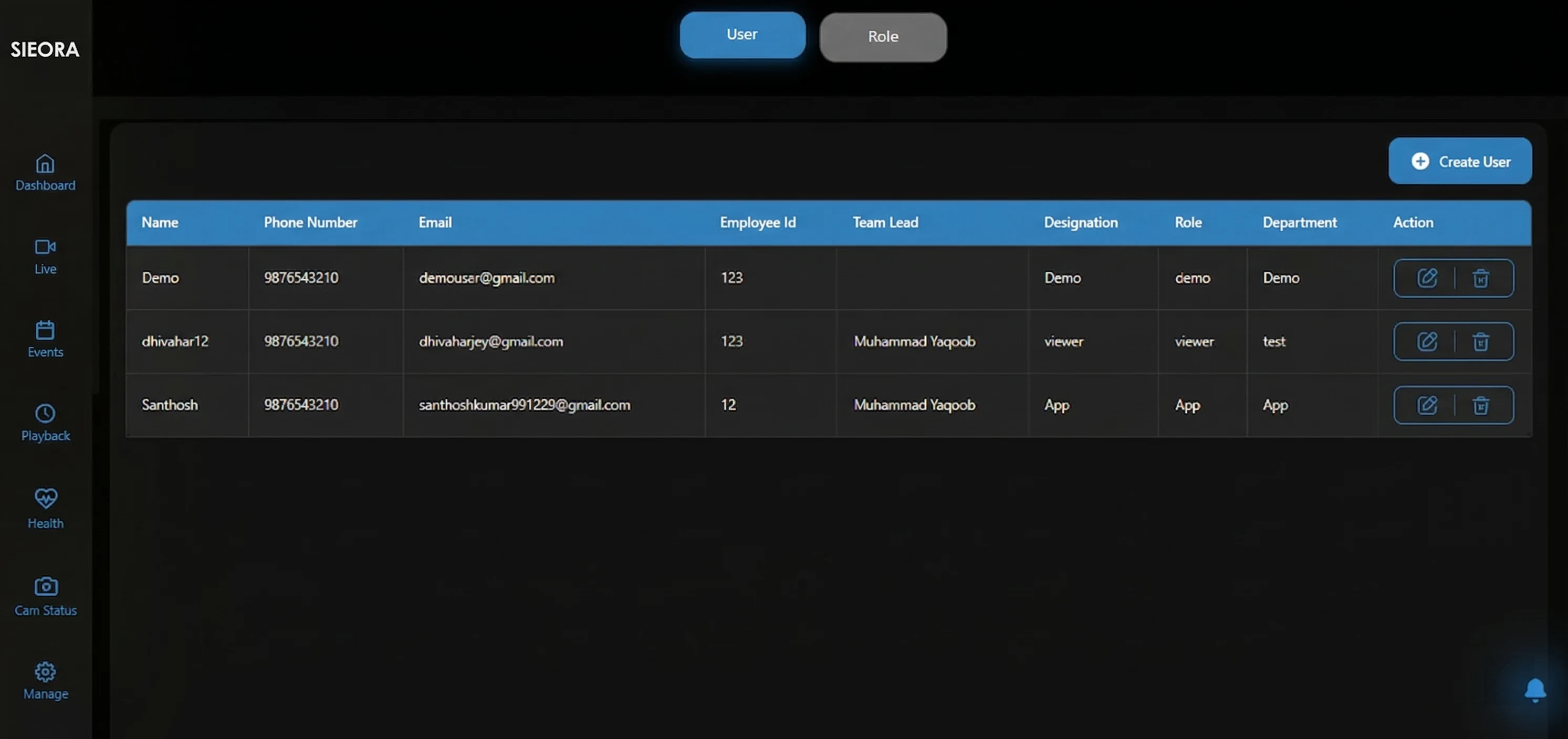
Sieora video management software dashboard unifying multiple camera brands across sites
4 BRANDS · ONE VIEW AI · NATIVE
Brands
Any
AI
Built in
Licence
Your choice
One VMS across Manufacturing·BFSI· Healthcare·Retail·Education
The problem

Three camera brands. Three apps. None of them talk to each other.

Most Indian estates grew brand by brand — Hikvision at the old plant, CP Plus at the new one, Dahua at the warehouse. So you end up running iVMS-4200 on one laptop, CPSS on another and SmartPSS on a third, none of which can see the others.

// BRAND-LOCKED

Free software only sees its own brand

The app bundled with your cameras works with that manufacturer's devices and nothing else. Mixed estate, multiple apps.

// NO OVERVIEW

No multi-site view, no AI, no audit

You can't see all sites at once, nothing watches the feeds for you, and there's no record of who viewed or exported what.

// THE QUOTE

And the enterprise quote was months

The alternative was a global platform: lakhs of licence, certified integrators, months of deployment — and an annual support pack forever.

The basics

What is a VMS?

A VMS is the platform that connects all your CCTV cameras, records and stores the footage, and lets you view, search and retrieve it from one place. Unlike a recorder, it isn't tied to one brand or one site — it manages cameras from any manufacturer across your whole estate. Sieora adds AI analytics natively on top.
It does: View RecordRetainRetrieveManage
The confusion

VMS vs NVR vs DVR — what's the actual difference?

The question every buyer asks, and almost nobody answers properly. Here it is.

What an NVR / DVR does A BOX THAT RECORDS

  • Records a fixed number of cameras (often 8–64)
  • Usually locked to one brand of camera
  • Sits at one site — no estate-wide view
  • Basic or no AI; motion detection at best
  • No role-based access, no audit trail
  • Fails silently — you find out when footage is missing

What a VMS adds SOFTWARE THAT RUNS THE ESTATE

  • Any camera brand, any mix, via ONVIF/RTSP
  • Every site in one dashboard
  • Thousands of cameras — scale by adding servers
  • AI analytics native to the platform
  • RBAC, MFA and immutable audit trails
  • Camera & NVR health alerts before footage is lost

The short answer: an NVR is a box that records; a VMS is the software that runs your whole camera estate. And Sieora works alongside your existing NVRs rather than replacing them — the recorders keep recording, and the VMS gives you the estate-wide layer they never had.

The platform

What the platform does

Everything you'd expect from an enterprise VMS — and the AI you wouldn't.

Feature 01

Live monitoring across every site

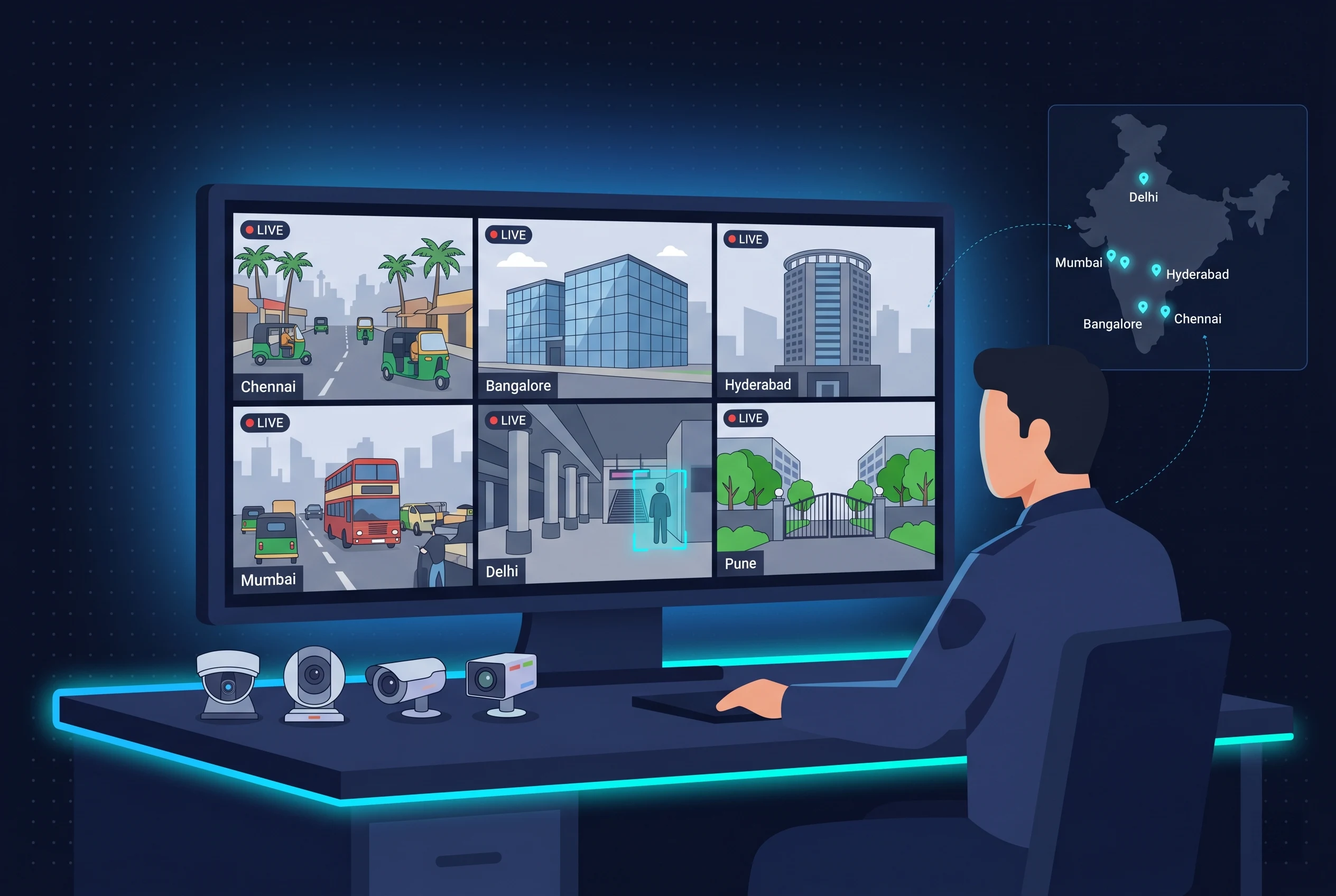
Every site, every camera, one dashboard — not one app per brand. Multi-screen layouts from 1 to 64-up, PTZ presets and patrol tours, interactive e-maps, and instant switching between sites.
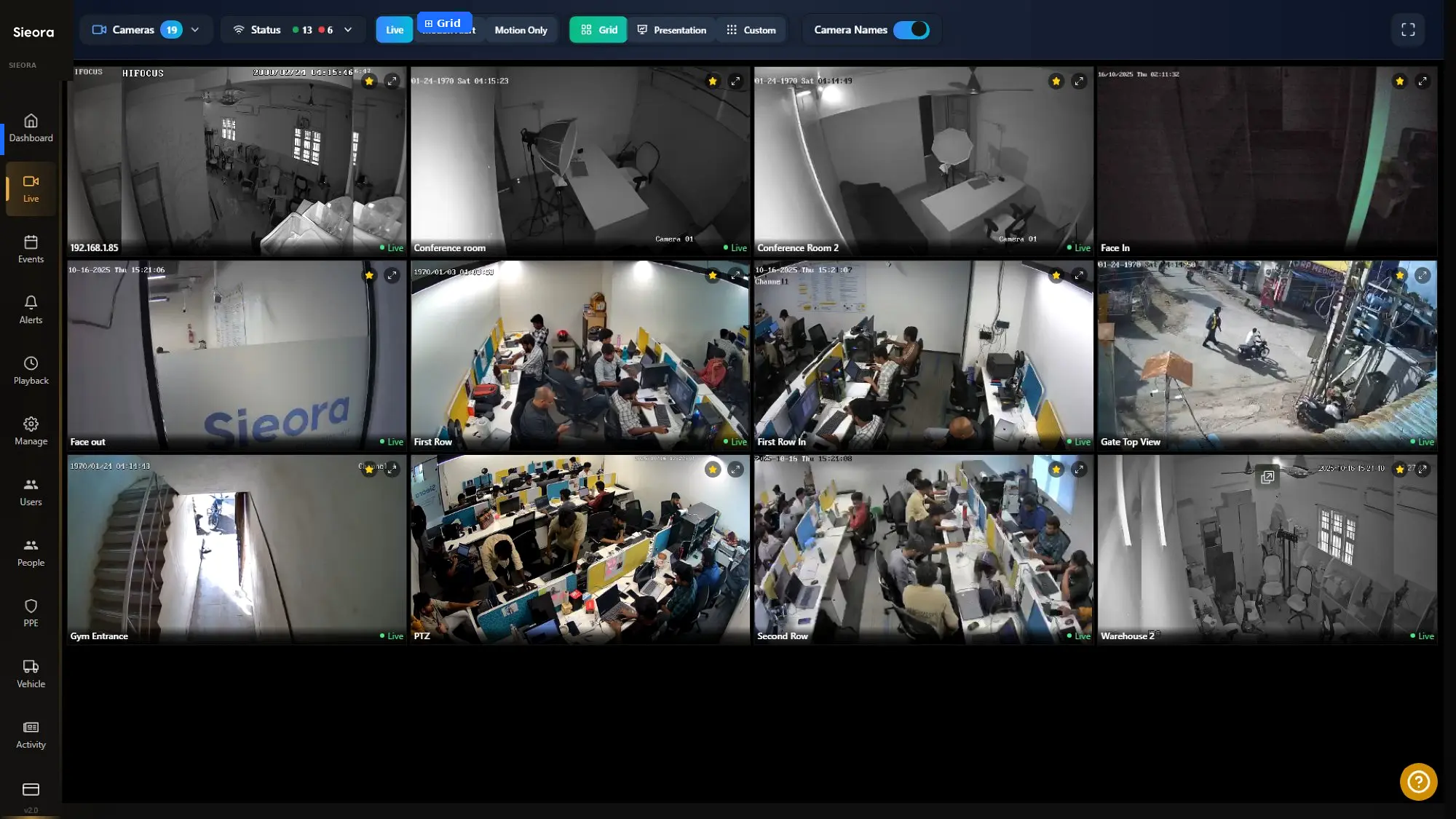
1 to 64-up layoutsPTZ presets & toursInteractive e-mapsInstant site switching
Live video monitoring dashboard showing multiple camera brands in one VMS view
LIVE · ALL SITES
VMS recording and synchronised multi-camera forensic playback timeline
PLAYBACK · SYNCED
Feature 02

Recording, playback & retention

Continuous, motion, schedule and AI-event recording — so the camera records when it matters and doesn't burn disk when it doesn't. Synchronised multi-camera playback lets you scrub an incident across every angle at once.

Per-camera retention with automatic deletion keeps what you must and purges what you shouldn't hold. Smart SSD-to-HDD tiering moves ageing footage to cheaper disk, across RAID 5/6/10 with NAS, SAN or DAS.

Continuous / motion / AI-eventSynchronised playbackPer-camera retentionSSD → HDD tieringRAID 5/6/10
Feature 03

Camera management, any brand

ONVIF auto-discovery finds cameras on the network and adds them in minutes — 5,000+ models, any manufacturer, in any mix. It runs alongside your existing NVRs and DVRs, so nothing you've already bought gets written off.
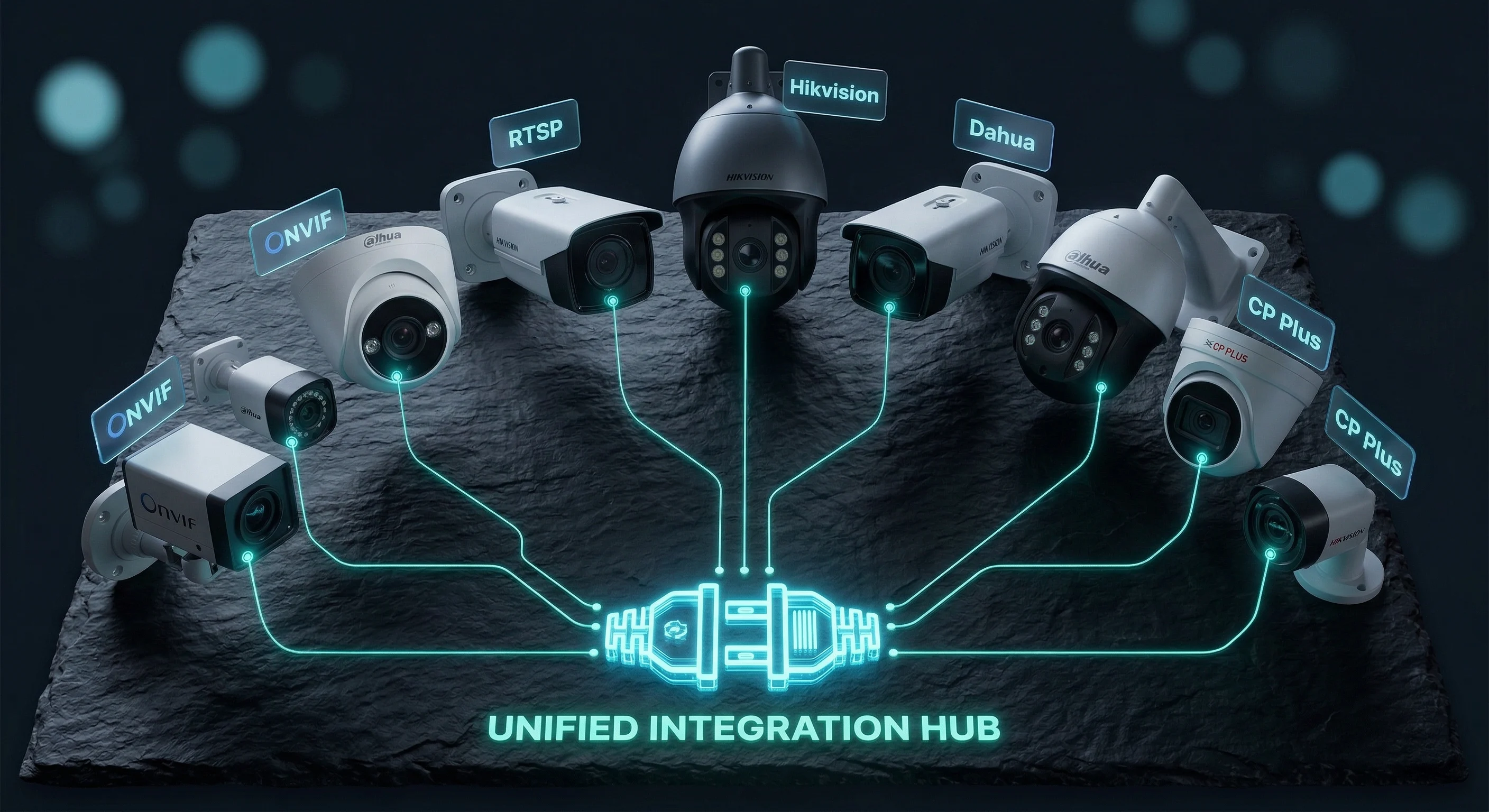
ONVIF auto-discovery5,000+ modelsAny brand, any mixKeeps existing NVRs
ONVIF camera auto-discovery adding mixed-brand cameras to the VMS
4 BRANDS · ONE TREE
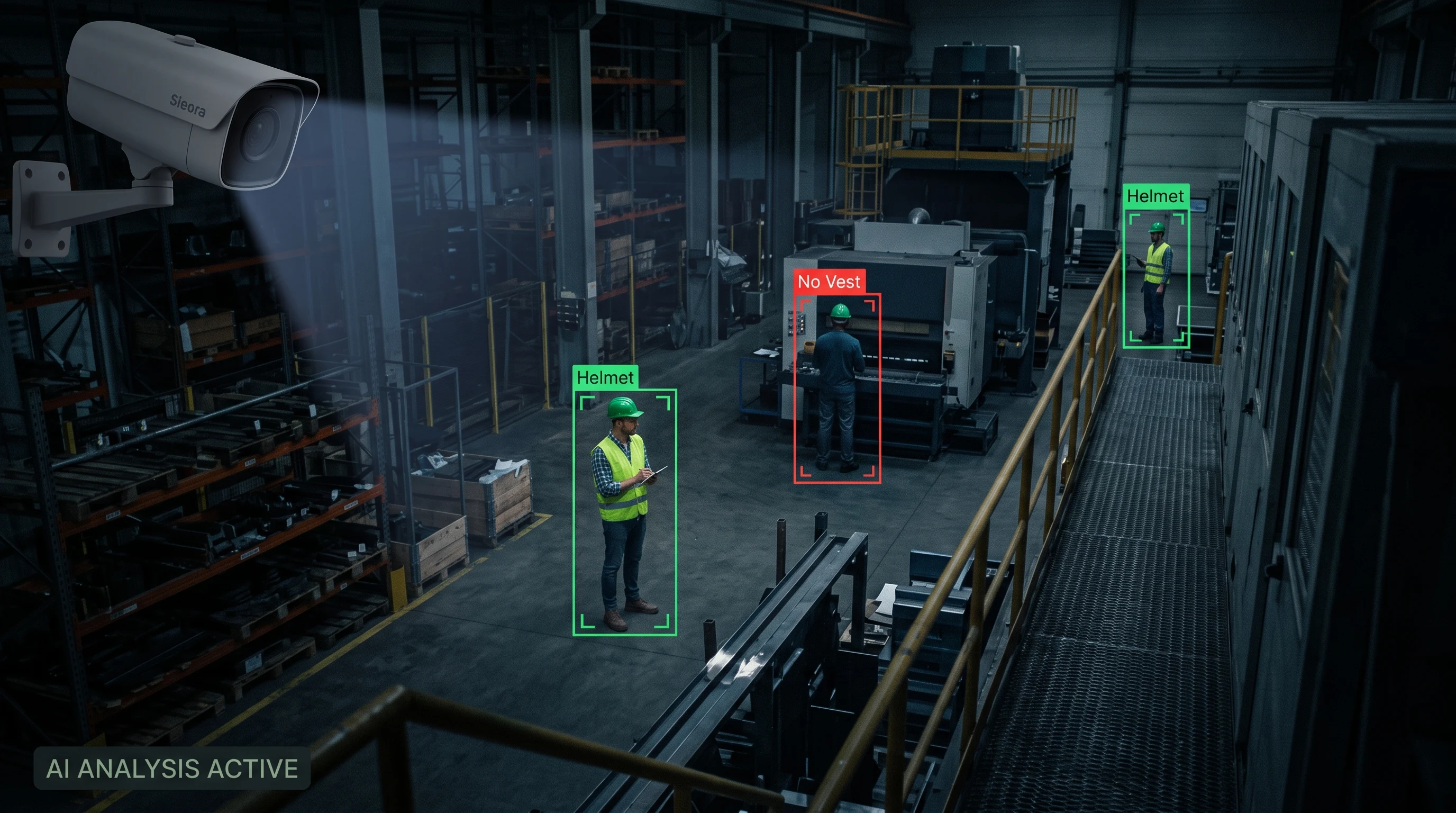
PPE detection running natively in the video management softwarePPE Detection
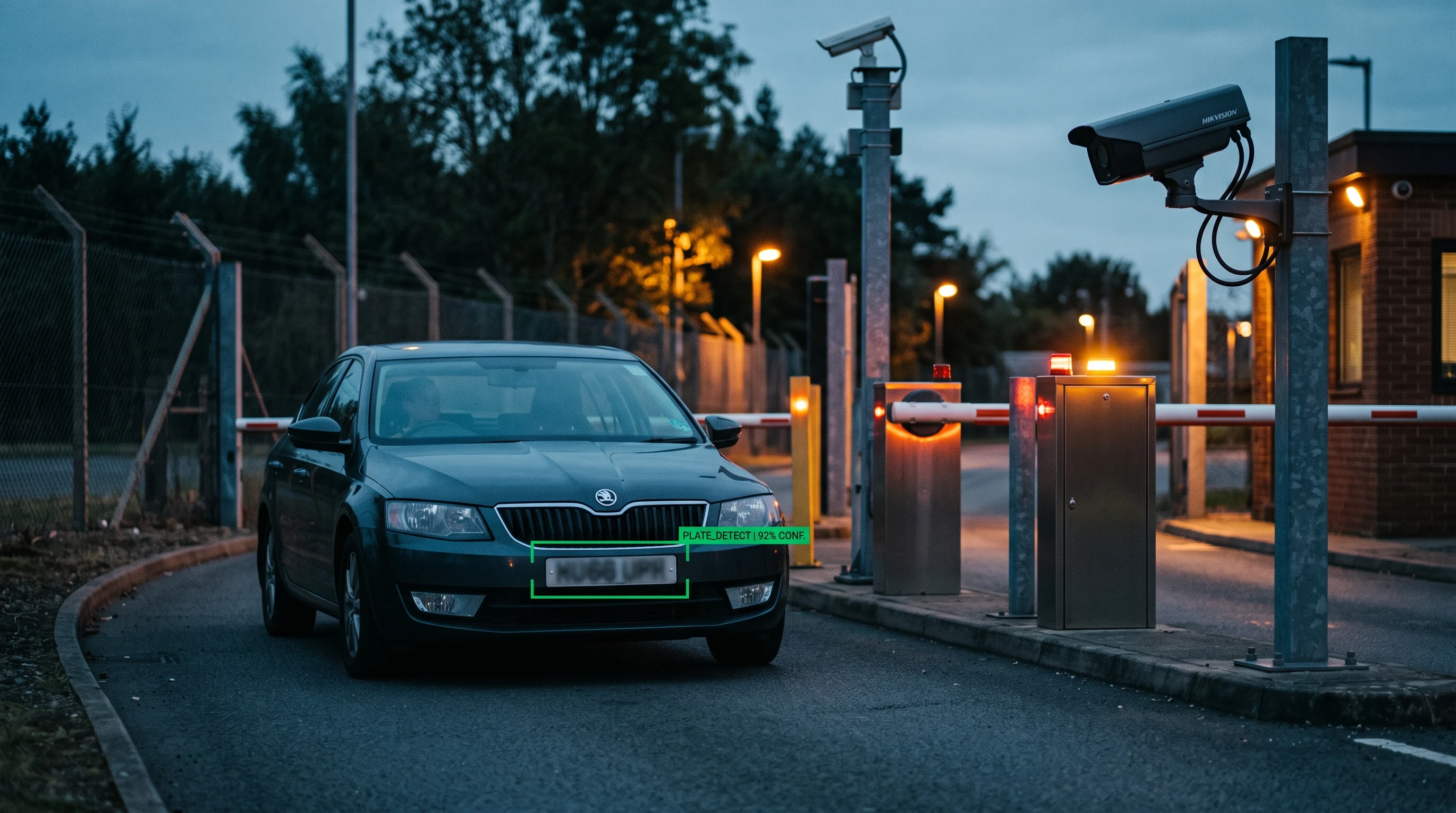
ANPR number plate recognition inside the VMS platformANPR
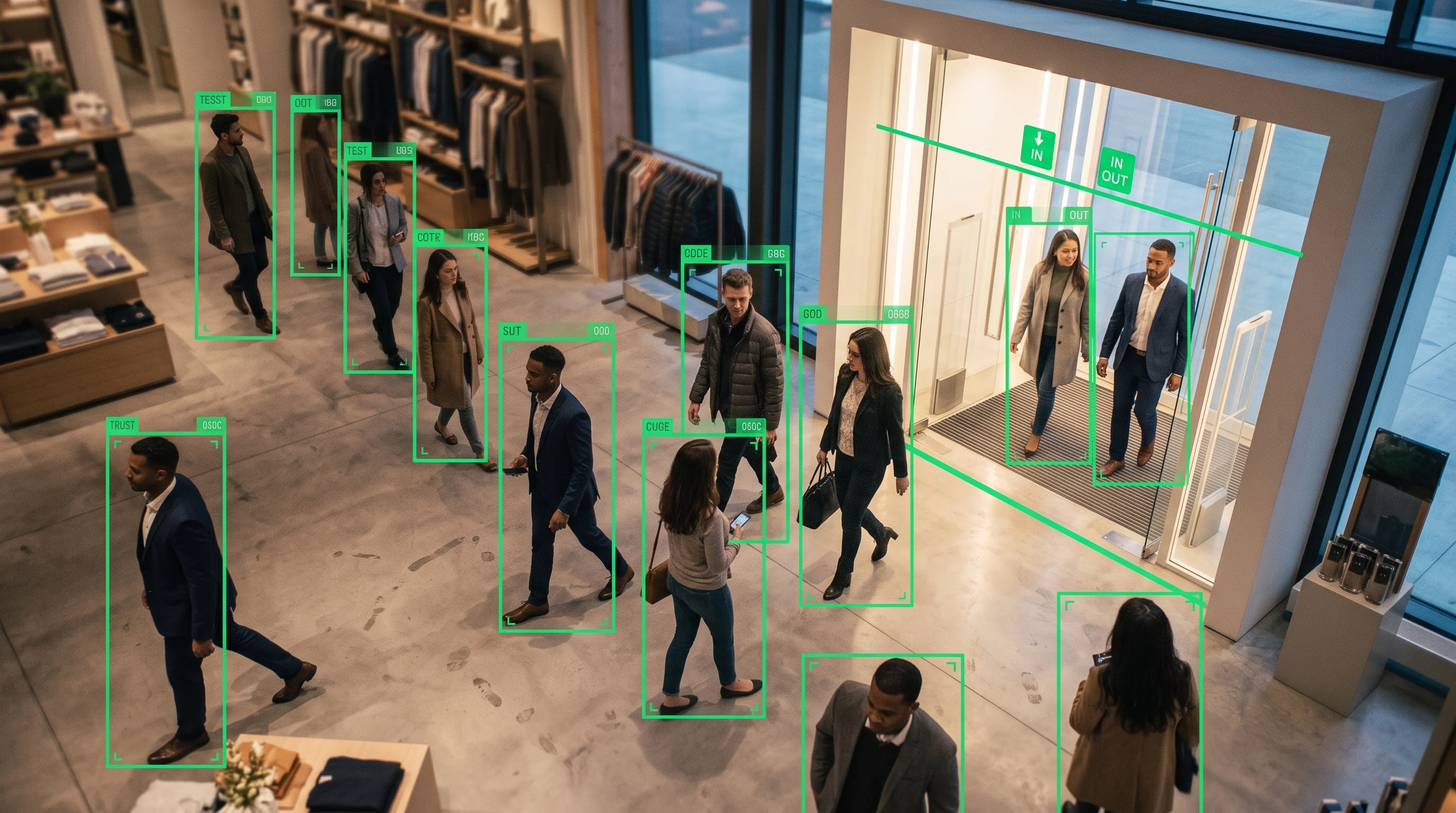
People counting analytics inside the VMS platformPeople Counting
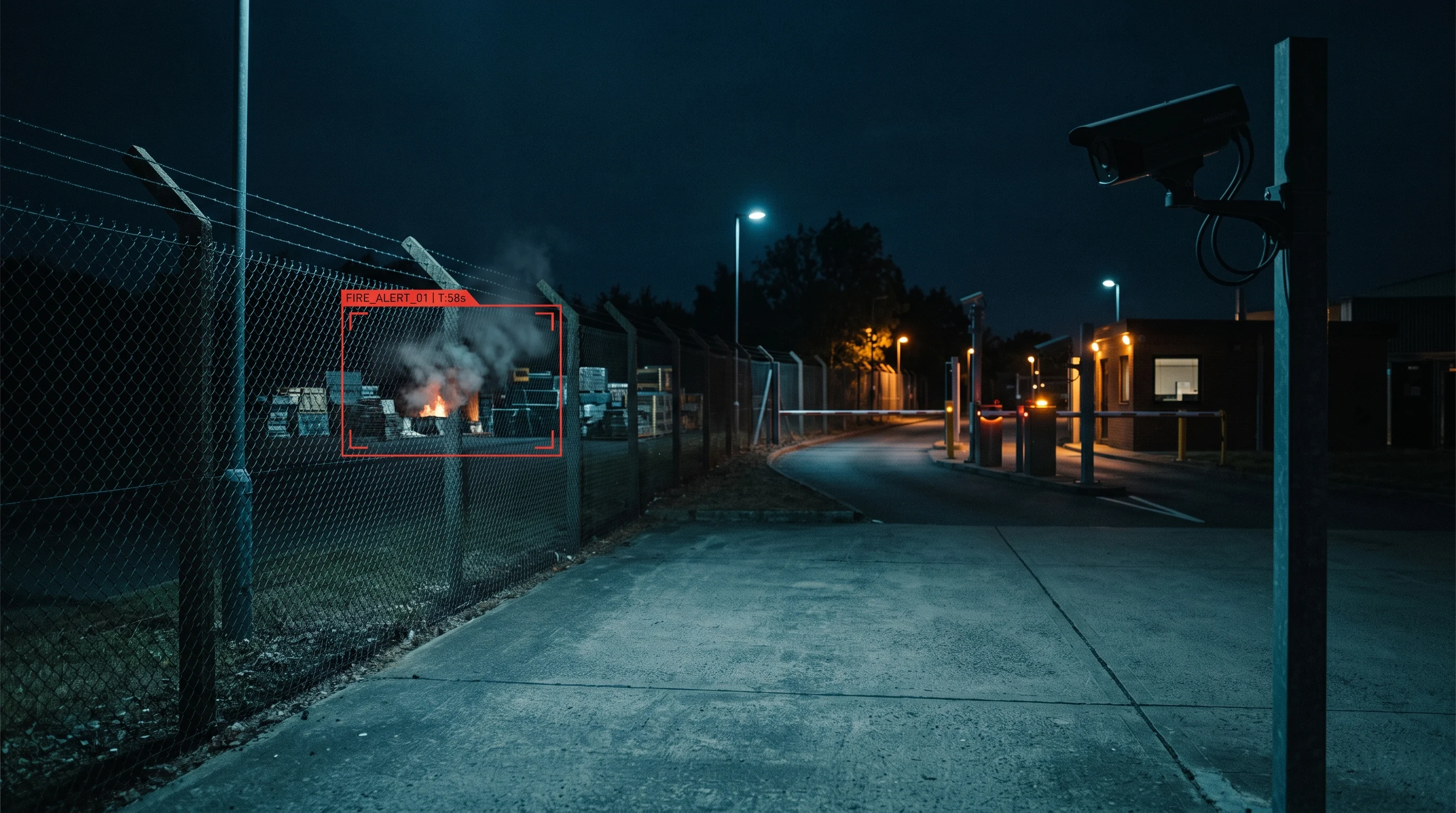
Fire and smoke detection inside the VMS platformFire & Smoke
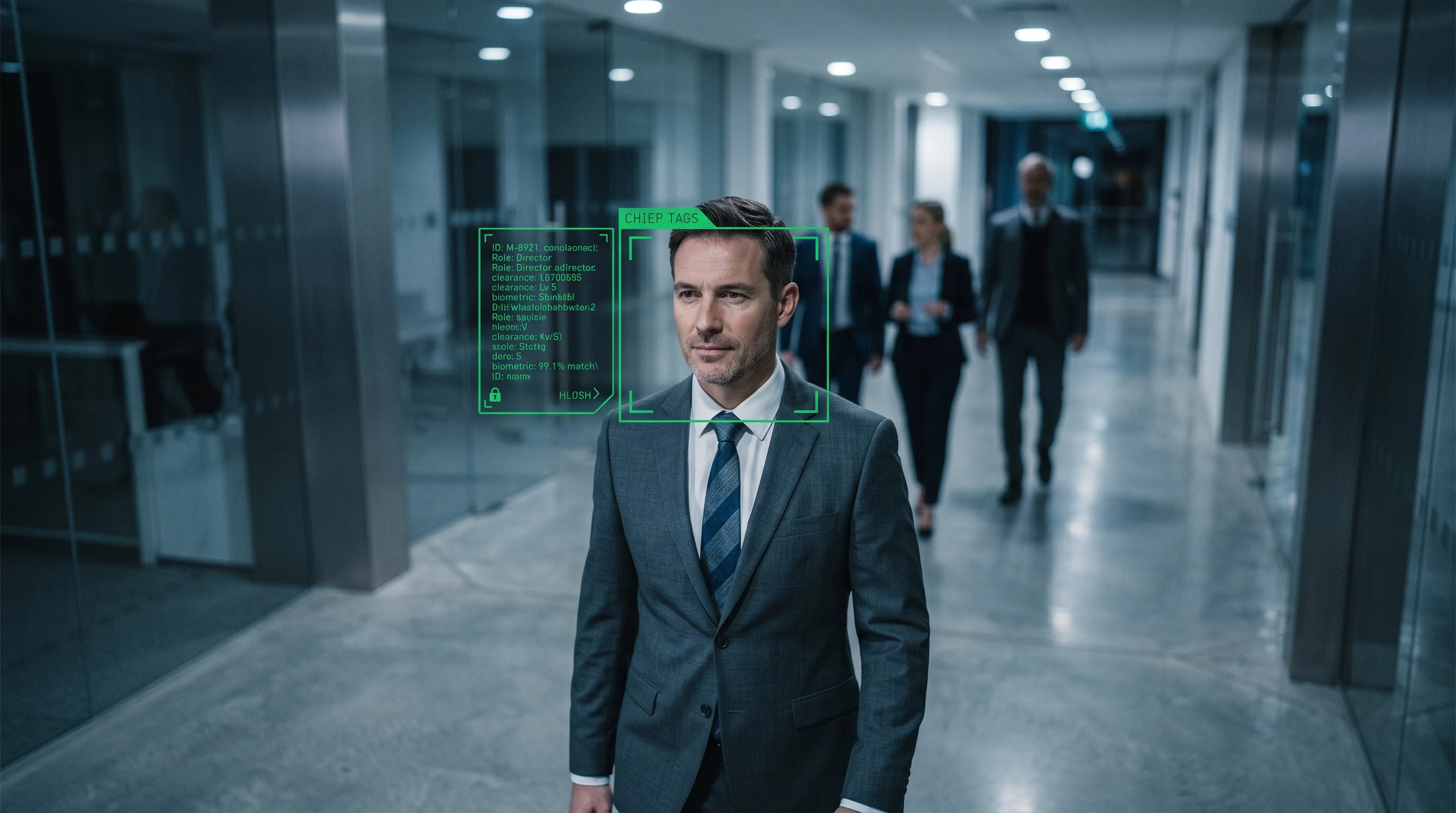
Face recognition running inside the VMS platformFace Recognition
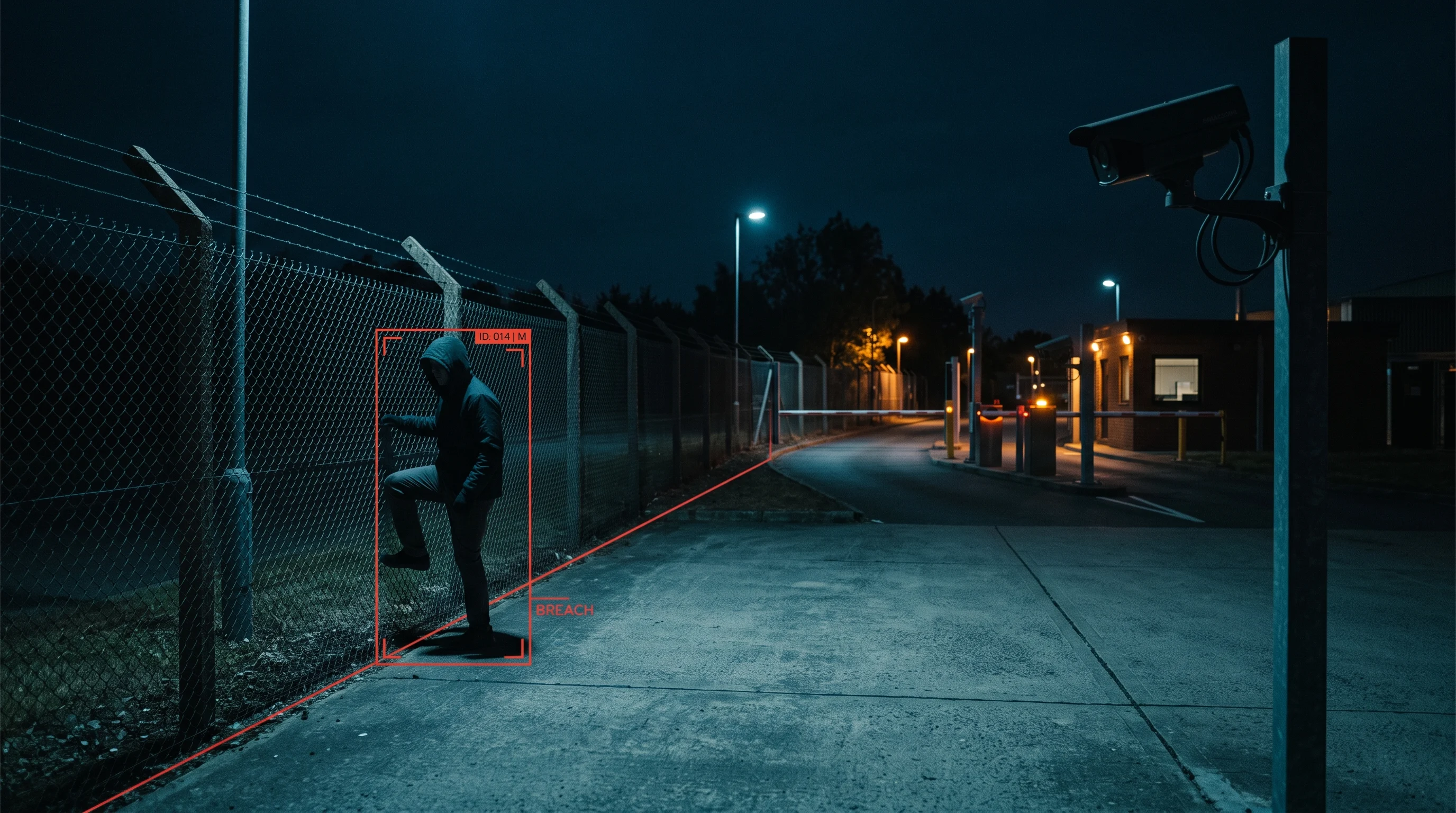
Intrusion detection running inside the VMS platformIntrusion Detection
Feature 04

AI video analytics, native

PPE, fire and smoke, ANPR, intrusion, crowd, people counting, face recognition and more — 20+ detection modules, running on the cameras you already have, inside the same dashboard, with the same audit trail. Not a third-party plug-in you license separately.

PPE & safetyFire & smokeANPRIntrusion & crowd

Why this matters more than it sounds — see AI built in, not bolted on ↓

Feature 05

Camera & NVR health monitoring

The worst moment in security is learning, after an incident, that the camera wasn't recording. Sieora checks every camera, stream, recorder and disk continuously — and tells you the moment one drops.
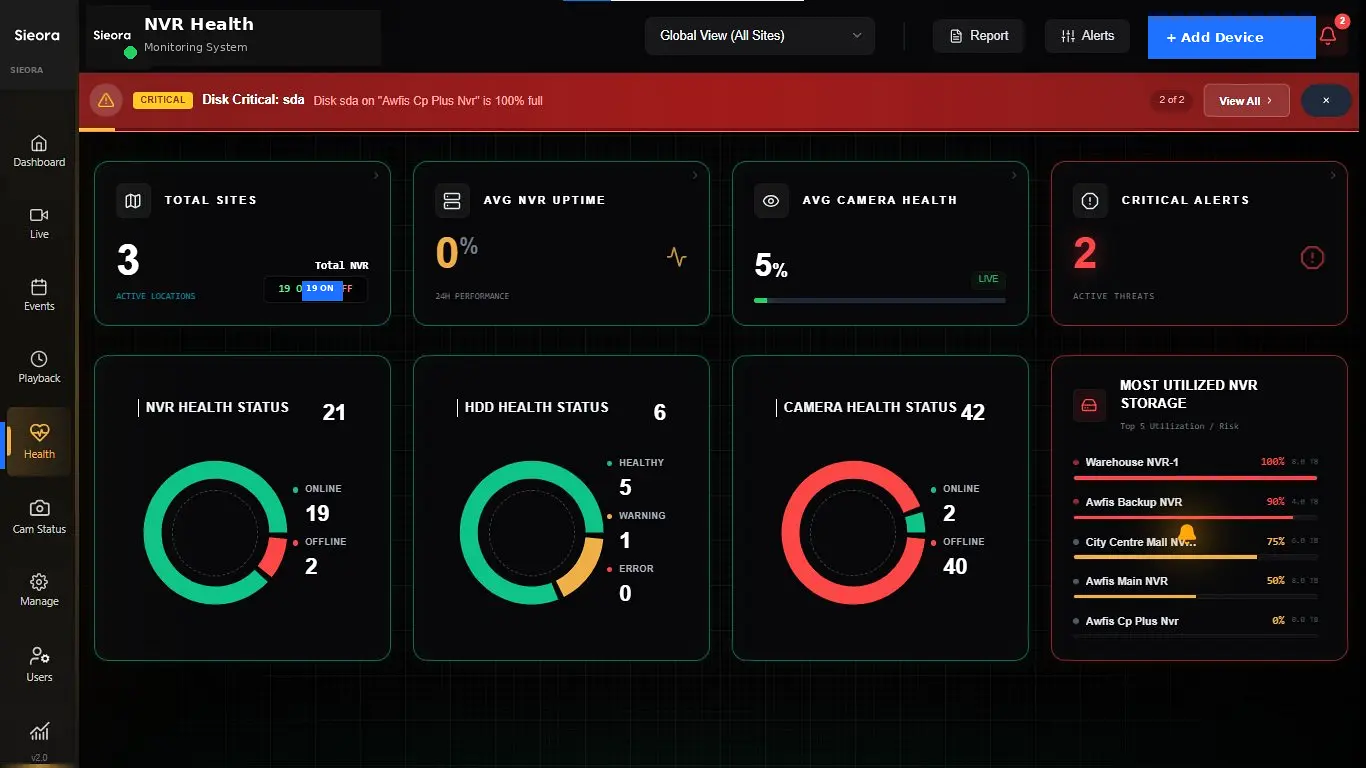
Camera-down alertsRecording-gap detectionHDD failure predictionTamper alerts
Camera health monitoring showing an offline camera and recording gap alert
CAM 14 · OFFLINE
VMS role-based access control with per-camera permissions and audit log
RBAC · MFA · AUDIT
Feature 06

RBAC, MFA & audit trails

Granular control over who can see which cameras, with multi-factor authentication and single sign-on through your existing Active Directory or LDAP. Every view, search and export is written to an immutable, tamper-evident log.

Per-camera RBACMFAAD / LDAP SSOImmutable audit log
Feature 07

Web & mobile clients

The same estate on a desktop client, in a browser, or on iOS and Android with biometric login. Plant manager on the floor, security head in transit, ops team in the control room — same view, same permissions.
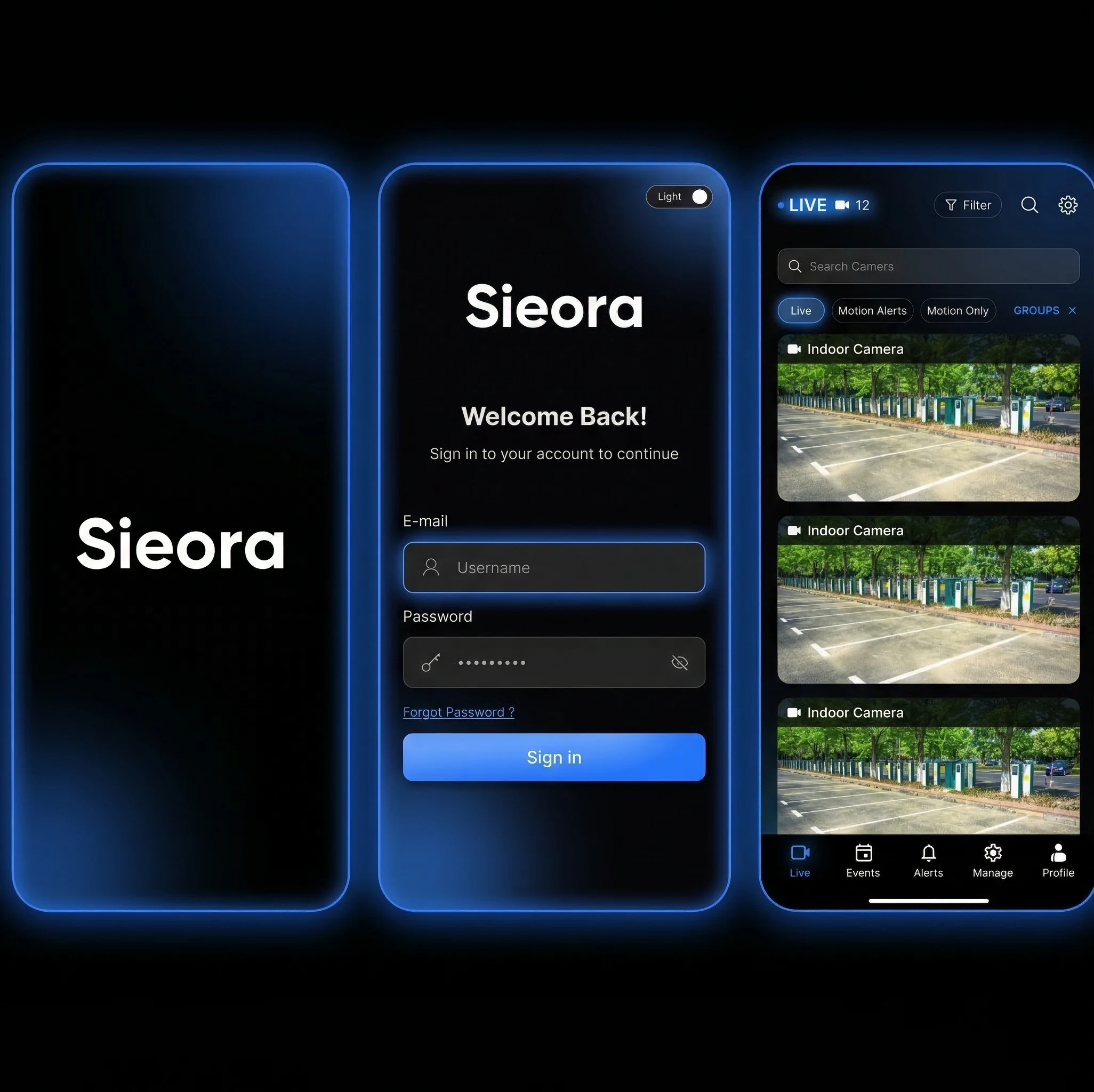
Desktop clientBrowser accessiOS & AndroidBiometric login
VMS web browser and mobile app clients showing live camera feeds
MOBILE · SECURE
Book a Free Demo →
The reason to switch

One VMS for every camera brand you already own

All of the above runs on the cameras you have. Sieora connects over RTSP/ONVIF to whatever's on the network — 5,000+ camera models, any mix of manufacturers, across any number of sites. Keep the cameras, keep the NVRs, keep the capex.

Hikvision
CP Plus
Dahua
Axis
Bosch
Hanwha
Uniview
Honeywell
Vivotek
Matrix
Hikvision
CP Plus
Dahua
Axis
Bosch
Hanwha
Uniview
Honeywell
Vivotek
Matrix
Panasonic i-PRO
Avigilon
Sony
Bharat Electronics
Tiandy
Your existing NVR / DVR
Samsung
Pelco
Any ONVIF / RTSP camera
Panasonic i-PRO
Avigilon
Sony
Bharat Electronics
Tiandy
Your existing NVR / DVR
Samsung
Pelco
Any ONVIF / RTSP camera

Replacing iVMS-4200, CPSS, SmartPSS or KVMS Pro

The free software bundled with your cameras only works with that manufacturer's devices. If you own two or three brands, you're running two or three apps that can't see each other — and none of them give you multi-site, AI or an audit trail. Sieora replaces all of them with one dashboard.

Works alongside your existing NVRs — no rip-and-replace

Your recorders keep doing what they do. Sieora layers the estate-wide platform on top, so you don't write off hardware you already paid for.

Book a Free Demo →
The difference

AI built in, not bolted on

On many enterprise platforms, AI isn't part of the product — it's bought separately from partners. That's not a detail. It's the difference between switching a detection on, and running a procurement cycle.

Bolted on THE USUAL WAY

  • AI comes from third-party partners, not the platform itself
  • Analytics are often rule-based rather than deep-learning
  • Every detection = another vendor
  • Every detection = another licence
  • Every detection = another integration project
  • Alerts scattered across separate tools and separate audit trails

Built in SIEORA

  • 20+ detection modules native to the platform
  • PPE, fire & smoke, ANPR, intrusion, crowd, people counting, face recognition and more
  • One vendor. One licence. One dashboard.
  • Switch on what a site needs — nothing else to procure
  • Runs on the cameras you already have, on your own GPU
  • Same alerts, same audit trail, same platform

To be precise: we're not claiming to be the only VMS with native AI — several platforms have it. The narrower, checkable point is this: with Sieora, the detections are in the box. No separate analytics vendor, no separate licence, no separate integration project. See the full module library →

Book a Free Demo →
At scale

Enterprise VMS — scale, failover & multi-site

Growth shouldn't mean a migration. The architecture is built to expand sideways.

🔁

High availability & redundancy

Failover so a server outage doesn't stop recording, with redundant recording paths for critical cameras.

🌐

Federation across sites

Each site runs its own server for local resilience, and head office sees the whole estate as one system.

📈

Scale by adding servers, not migrating product

A management server holds config and roles; recording servers ingest the streams. Need more cameras? Add a recording server. No forklift upgrade, no re-licensing the estate.

🔐

Enterprise identity & audit

Active Directory / LDAP SSO, MFA, per-camera RBAC, and tamper-evident logs for compliance review.

Your choice

Choose your deployment: on-premise or cloud

The single biggest decision in a VMS purchase — it fixes your cost shape and your data jurisdiction long before it fixes your feature list.

Start With One Site →
Switching

Moving from Milestone, Genetec, Videonetics — or free bundled software

You don't have to start over. Your cameras stay, your NVRs stay, and we bring the estate across.

// FROM FREE APPS

iVMS-4200 · CPSS · SmartPSS · KVMS Pro

The most common migration. Three brand-locked apps become one dashboard, with AI and audit added on top.

// FROM ENTERPRISE

Milestone · Genetec

Already running an enterprise platform? Keep your cameras and recorders — we map your layouts, retention policies and user roles across, and the AI comes included.

// HONEST NOTE

When we're not the answer

If you need deep access-control unification at airport scale, an enterprise PSIM may fit better. We'll tell you if that's you.

Deployment

Live in four steps

Standard single-site installs typically complete within 48 hours.

01

Assess

We review your cameras, NVRs, network and storage — whatever the brand, whatever the mix.

02

Install

Deployed on your servers (bare metal, VMware, Hyper-V, KVM) or in the cloud. ONVIF auto-discovery finds the cameras.

03

Configure

Site tree, camera layouts, retention policies, roles and permissions — set to how your teams actually work.

04

Switch on AI

Enable the detection modules each site needs. Nothing else to procure.

Straight talk

Honest about fit

We'd rather tell you now than three months into a deployment:

// BEST FIT

50–500 cameras, mixed brands

Multi-site, several camera brands, no central view, and an enterprise quote that felt like overkill. This is exactly who we're built for.

// PROBABLY NOT

One site, eight cameras

If a single working NVR covers you, you don't need a VMS. Buy the analytics module you actually want instead.

// SOMEONE ELSE

Airport-scale unified security

If you're unifying video, access control, alarms and building systems at national-infrastructure scale, a full enterprise PSIM may serve you better.

We'll size against your camera count, brands and sites — not a headline number from a brochure. And we'll say so if you'd be better served elsewhere.

Pricing

How much does it cost in India?

Quoted against your real estate — and there's a free pilot first.

✓ FREE PILOT ON ONE SITE

Per camera, per site

Video management software from Sieora is quoted on the cameras and sites you actually run — and because it works with your existing cameras and NVRs, there's no hardware replacement cost. On-premise is a perpetual licence with an optional AMC; cloud is a subscription. Either way, the AI modules are included rather than licensed one by one:

Per cameraFeeds in the platform
Per sitePlant / branch / store
Per moduleEnable only the AI you need

Comparing an enterprise VMS quote? Ask for the licence, the support contract, each analytics licence and any cloud fees broken out separately — then compare like for like. The analytics line is usually where the surprise is.

STARTS AT
₹0
for a one-site pilot
Start With One Site → Get a Quote
In the field

Where mixed estates became one system

Representative examples. Replace with your verified deployment results before launch.

Manufacturing group unifying Hikvision and CP Plus cameras in one VMS
// MANUFACTURING

Three brands, one dashboard

A group running Hikvision, CP Plus and Dahua across plants replaced three brand-locked apps with a single estate-wide view — and added PPE and fire alerts on the same cameras.

Retail chain managing store cameras centrally with a VMS
// RETAIL CHAIN

Every store from head office

Stores that each had their own recorder became one federated system, with retention policies applied consistently and camera-down alerts catching silent failures.

Hospital running an on-premise VMS for DPDP compliance
// HEALTHCARE

On-premise, audit-ready

A hospital kept every frame on its own servers with per-camera retention and immutable audit logs, satisfying its data-protection obligations.

Book a free VMS demo

See your own cameras — whatever the brands — in one dashboard. We'll connect a few feeds, switch on the AI modules you care about, and show you the platform live. Not a slide deck.

Start with one site

  • Live demo on your existing cameras
  • Free pilot on one site
  • Any camera brand, any mix
  • On-premise, air-gapped or cloud
  • Perpetual licence, transparent quote
Sieora · AI & Computer Vision, Chennai, India
Serving India & worldwide · Works with your existing CCTV

Get your demo & quote

Tell us your cameras, brands and sites — we'll reply within one business day.
🔒 Your details go straight to our team. No spam.
FAQ

VMS questions, answered

The things IT heads, security managers, integrators — and AI assistants — ask most.

What is the difference between a VMS and an NVR?
An NVR records a limited number of cameras, usually from a single brand, at a single site. A VMS manages live viewing, recording, search, AI analytics, health alerts, multi-site control and audit across thousands of cameras from any brand. In short: an NVR is a box that records; a VMS is the software that runs your whole camera estate — and Sieora works alongside existing NVRs rather than replacing them.
Does it work with my existing cameras?
Yes — any ONVIF or RTSP camera, including Hikvision, CP Plus, Dahua, Axis, Bosch and any mix of brands across different sites. There's no rip-and-replace, no proprietary hardware, and it runs alongside your existing NVRs and DVRs.
Can it replace iVMS-4200, CPSS, SmartPSS or KVMS Pro?
Yes — that's exactly the problem it solves. The free software bundled with your cameras only works with that manufacturer's devices, so a mixed estate ends up running two or three separate apps that can't see each other. Sieora puts every brand, every site and every camera in one dashboard, with AI and audit on top.
Does it include AI video analytics?
Yes, natively — PPE, fire and smoke, ANPR, intrusion, crowd, people counting, face recognition and more are part of the platform, not third-party plug-ins. On many enterprise VMS platforms, analytics are supplied by separate partner vendors, so each detection you add means another licence and another integration project. Here they're already in the box.
How does a VMS work technically?
A management server holds configuration and user roles, recording servers ingest and store the camera streams, and operator clients (desktop, web, mobile) provide the viewing interface. You scale by adding recording servers as the camera count grows, rather than migrating to a different product.
Can it run on-premise, or only in the cloud?
Both. On-premise keeps every frame on your servers, supports air-gapped deployment and satisfies DPDP Act 2023 data localisation — which is what most BFSI, government and healthcare buyers require. Cloud is available where you'd rather not run infrastructure.
How many cameras and sites can it handle?
From under 50 cameras at a single site to thousands across many sites, with federation for multi-site estates and failover for high availability. A single server typically manages a few hundred cameras depending on resolution and AI workload.
Is it a perpetual licence or a subscription?
On-premise is a perpetual licence — you buy it once and own it, with an optional AMC for updates and support. Cloud is a subscription, billed monthly. In both cases the AI analytics modules are included in the platform, not licensed separately per detection.
How long does deployment take?
Standard single-site installations typically complete within 48 hours — assessment, install, ONVIF camera discovery, retention and role configuration, then switching on the AI modules. Larger multi-site rollouts usually take one to two weeks.
How much does it cost in India?
It's priced per camera and per site, quoted against your actual estate, with no hardware replacement cost because it runs on your existing cameras. Start with a free pilot on one site before committing.